

Download DJ Studio 5 – DJ software, mobile DJ app, free DJ mixer, music mixing tool, beat matching, live DJ performance
Overview
DJ Studio 5 is a mobile DJ application designed to transform smartphones and tablets into full-featured DJ stations. The app enables users to mix, scratch, and manipulate music tracks directly from their device’s local library. Unlike earlier versions that required in-app purchases for full functionality, DJ Studio 5 is completely free, offering unrestricted access to all core features.
This makes it an accessible tool for aspiring DJs, music enthusiasts, and casual users interested in experimenting with audio mixing. The software is particularly suited for individuals who want to practice beat matching, create live mixes, or explore DJing fundamentals without financial investment. Target users include beginners seeking hands-on experience, hobbyists exploring creative audio manipulation, and mobile performers looking for a lightweight, on-the-go solution.
Real-world usage scenarios include personal practice sessions, informal parties, live streaming performances, and content creation for platforms like SoundCloud. The developer, DJ Studio Team, has positioned this release as a comprehensive free alternative in the mobile DJ space. While no detailed background on the team is provided, the app’s availability on both Google Play and the App Store indicates broad accessibility across Android and iOS ecosystems.
Key Features & Capabilities
- Multi-Deck Interface: Offers either a single-deck or twin-deck layout, allowing users to mix two tracks simultaneously with dedicated controls for each deck.
- Real-Time Audio Manipulation: Includes volume sliders, BPM adjusters, and loop creators to fine-tune track timing and transitions during live mixing.
- Full Access to All Features: The app provides unrestricted functionality without requiring in-app purchases, making it a rare free alternative in the DJ software market.
- Equalizer Controls: Allows users to adjust frequency levels for individual tracks, enhancing sound balance and mix quality.
- Live Recording & Sharing: Enables real-time recording of mixes and direct sharing to platforms like SoundCloud, supporting content distribution and performance archiving.
- Track Import from Device Library: Users can select and load music files directly from their device’s storage, streamlining the workflow for personal playlists.
These capabilities support a wide range of practical applications. For example, a beginner can use the BPM adjuster to align tracks before blending them, while a content creator can record a full mix and upload it to SoundCloud for audience feedback. The twin-deck system allows for smooth transitions between songs, ideal for informal parties or rehearsal sessions. The inclusion of an equalizer helps users tailor the audio output to different environments, improving overall listening quality. While no advanced automation features are mentioned, the core tools provide a solid foundation for hands-on DJ practice and creative experimentation.
User Interface, Workflow & Performance
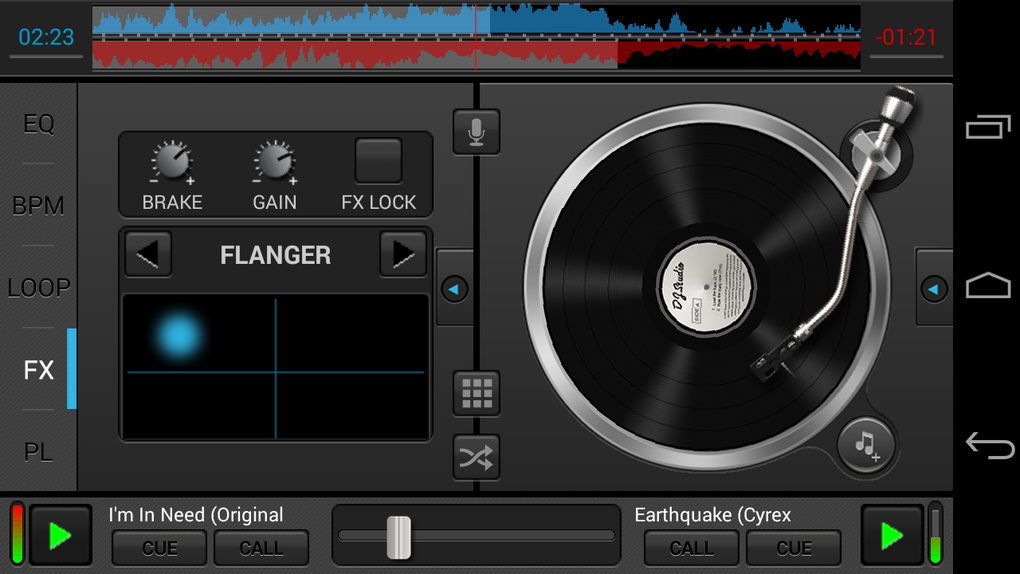
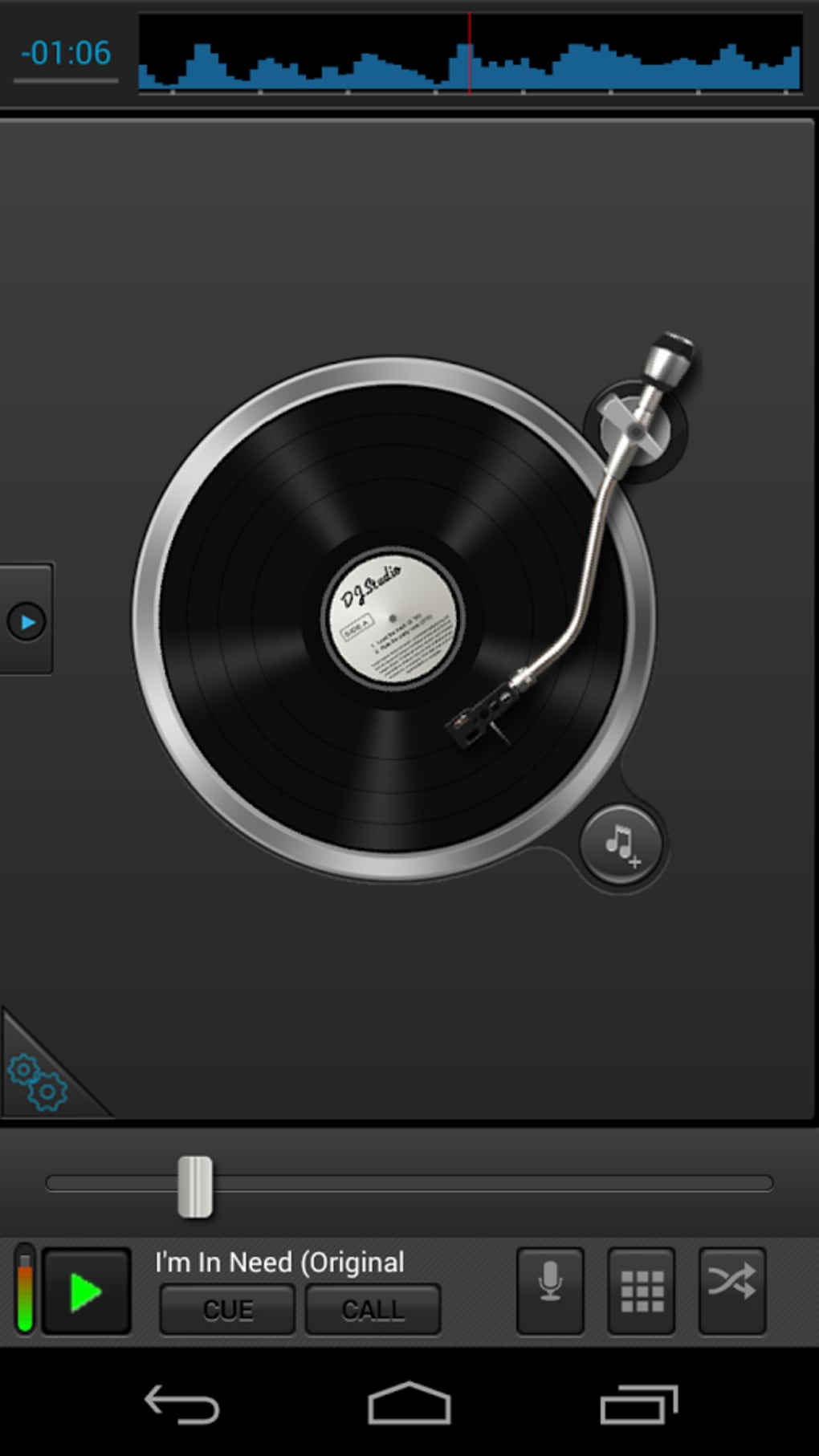
DJ Studio 5 features a streamlined interface centered around the deck layout, with intuitive placement of essential controls such as volume faders, loop buttons, and BPM sliders. Navigation is designed to mirror traditional DJ hardware, offering a familiar experience for users accustomed to physical mixers. The workflow follows a logical sequence: select a track from the device library, load it onto a deck, adjust settings, and begin mixing.
Despite this, the app may present a learning curve for first-time users due to the density of controls and the need for precise timing during transitions. On smaller screens, some interactive elements like dials and sliders may be difficult to operate accurately, potentially affecting user experience. The developer did not specify resource usage details, so exact performance behavior in terms of CPU or RAM consumption remains unknown.
General software behavior suggests stable operation under normal conditions, though performance may vary depending on device hardware and background processes. Stability during extended use has not been documented, but the absence of reported crashes in public app reviews indicates consistent operation. Overall, the app appears optimized for mobile use, though usability on low-end devices may be limited.
Compatibility & System Requirements
DJ Studio 5 is available for both Android and iOS operating systems, ensuring broad accessibility across major mobile platforms. The current version is 5.2.1, with a file size of 120 MB, indicating a lightweight installation footprint. The developer did not provide additional system requirements, so specific hardware specifications such as minimum RAM, processor speed, or storage space are not available.
Compatibility information is limited to the supported platforms and version number. Users should ensure their device meets the general requirements for running modern mobile applications, particularly for smooth audio processing and touch responsiveness. The app’s free availability on both the Google Play Store and App Store suggests it has undergone platform-specific validation, though no explicit details on device compatibility are listed.
For users with older devices, potential performance issues may arise, especially when using multiple features simultaneously. The developer did not disclose whether the app supports tablet form factors or adaptive layouts, so usability on larger screens remains uncertain.
Pros and Cons
Pros
- Completely free with no in-app purchases required for full functionality
- Offers twin-deck mixing, BPM adjustment, and loop creation tools
- Includes live recording and direct sharing to SoundCloud
- Accessible interface designed for mobile DJing with real-time audio control
- Available on both Android and iOS platforms
Cons
- Interface may be difficult to navigate on smaller mobile screens
- No official system requirements or performance specifications provided
- Learning curve for beginners unfamiliar with DJ workflows
- Compatibility with older or low-end devices is not confirmed
- Limited information on stability during extended use
FAQ Section
Is DJ Studio 5 available for free?
Yes, DJ Studio 5 is completely free to download and use. All features are accessible without requiring in-app purchases or subscription fees.
Can I use DJ Studio 5 on both Android and iOS?
Yes, the app is available for both Android and iOS devices. It is distributed through the Google Play Store and the App Store.
Is the app safe to download?
DJ Studio 5 is available through official app stores, which typically enforce security checks. However, users should only download from trusted sources to ensure safety.
Does DJ Studio 5 require an internet connection?
Basic mixing and playback functions can be performed offline. However, features like live recording and sharing to SoundCloud require an active internet connection.
How often are updates released?
The app has been updated to version 5.2.1, with the latest release date being September 15, 2023. The frequency of future updates is not specified.
Final Thoughts + CTA
DJ Studio 5 stands out as one of the most comprehensive free mobile DJ applications available today. Its full-featured interface, combined with unrestricted access to tools like beat matching, loop creation, and live recording, makes it ideal for beginners and hobbyists alike. While the interface may present challenges on smaller screens and the learning curve can be steep for new users, the app delivers a genuine DJing experience without financial barriers.
The ability to record mixes and share them directly to SoundCloud adds significant value for content creators. For anyone looking to explore music mixing on a mobile device, DJ Studio 5 offers a robust, accessible, and feature-rich solution. With its cross-platform availability and commitment to being completely free, it represents a strong choice in the mobile DJ software category.
Download DJ Studio 5 now.






.png)
